
Game review and analysis
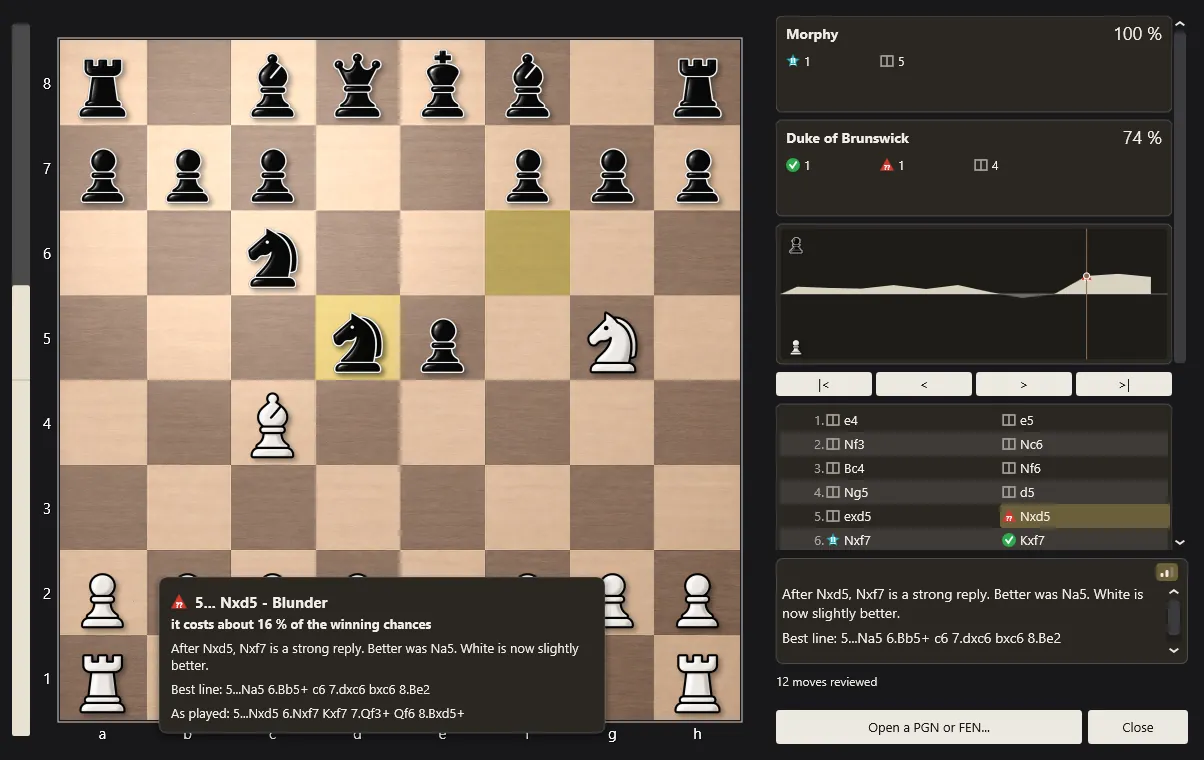
Find out where a game was won and lost. The Baronet goes through every move, gives it a class and says, in plain words, what was better.
Three ways in
- Analyse this game, the button above the move list once a game is over.
- Help › Review this game, at any moment.
- File › Analyse a PGN or FEN file, for a game played somewhere else - online, over the board, or from a book. A file with several games asks which one to open.
You can also copy a game or a position as text and press Ctrl+V in the review window. Nothing is analysed until you ask: the review never runs in the background while you play.
Ten move classes
Every move gets one of ten classes, each with its own icon. The icons differ in shape as well as colour, so they can be told apart by anyone, including players with colour blindness.
| Class | Symbol | Meaning |
|---|---|---|
| Brilliant | !! | A sacrifice that works: the move gives up material, the opponent's best reply takes it, and the line still comes out ahead. Rare by design. |
| Great | ! | The only good move in the position: every alternative would have lost a significant part of the advantage. |
| Best | The move The Baronet would have played. | |
| Excellent | As good as the best move for practical purposes. | |
| Good | A small step down from the best, nothing to worry about. | |
| Inaccuracy | ?! | Gave a little away. |
| Mistake | ? | Gave real ground away. |
| Blunder | ?? | Changed the course of the game. |
| Book | Still in the opening book: theory, not yet a decision. | |
| Forced | The only legal move. |
The classes are not based on raw scores in pawns. A pawn thrown away in a position that is already winning by a rook changes nothing, while the same pawn in a level endgame can decide the game. The Baronet therefore measures each move by how much it changes the expected result of the game - the chances of winning, drawing or losing - which is also how the accuracy figure is computed.
Explained, not just scored
Select a move, in the list or on the graph, and the comment under the board says what it did and what was better: the threat it missed, the piece it left undefended, the tactic it allowed. Twelve tactical motifs are recognised - forks, pins, skewers, discovered attacks, double checks, removing the defender, back-rank weaknesses, hanging pieces, overloaded defenders, trapped pieces, mate threats and promotion threats - and a motif is only mentioned after a search has confirmed that it really wins something.
Comments come in three levels of detail, chosen with the small bars icon at the top of the comment: plain sentences for beginners, the reasoning and the best line for club players, and the full evaluation with win, draw and loss chances for advanced players.
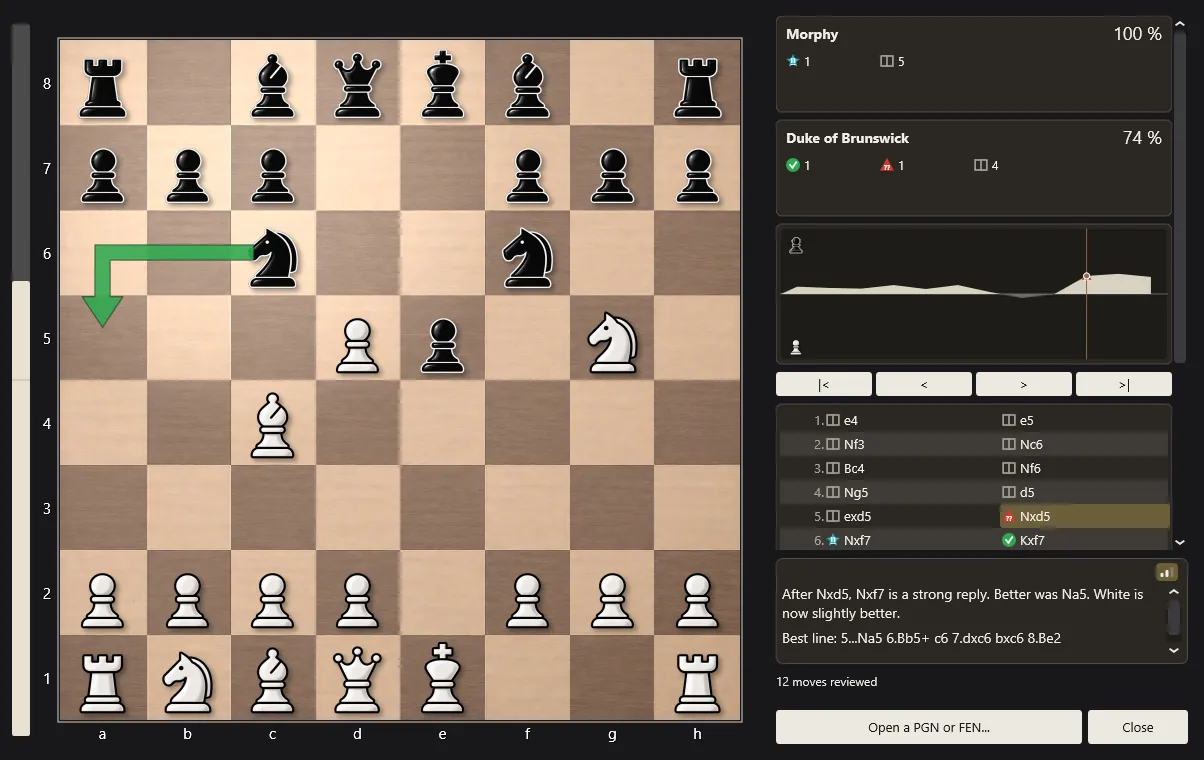
The panel, top to bottom
- Two summary cards, one per player, with the accuracy of their play as a percentage and a count of each class. Names are taken from the PGN when the game has them.
- The evaluation graph of the whole game. Drag the marker and the board follows. The pieces each side has captured are drawn along its edges.
- The move list, with each move's icon. The arrow keys, Home and End move through the game.
- The commentary for the selected move, and the best line when The Baronet would have played something else.
Buttons
| Button | What it does |
|---|---|
| Show best move | Draws an arrow for the move The Baronet preferred. |
| Show best line | Plays out the best alternative step by step, with Back and Forward. |
| Flip board | Turns the board round (F does the same). |
| Save annotated PGN | Saves the game with the classes and the comments, for any chess program or website. |
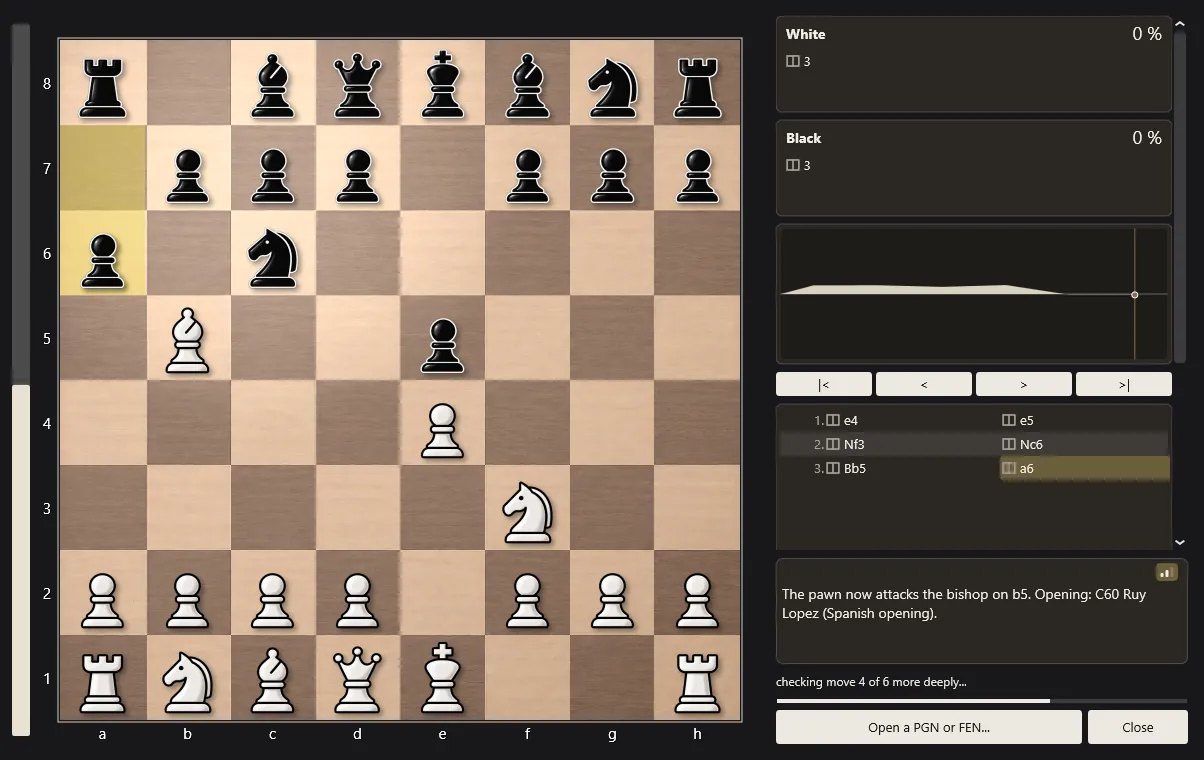
The analysis board
Help › Analysis board opens a position or a game on a board of its own. Use Open a PGN or FEN… below the panel, or paste one with Ctrl+V, and The Baronet gives its opinion of every position.
Same answer on every computer
The review gives each position a fixed amount of work - Quick, Standard or Deep - rather than a fixed number of seconds. The same game therefore gets the same classes and the same comments on a fast desktop and on an old laptop. At the Standard setting, a 40-move game is reviewed in about twenty seconds on a typical PC, and the move list can be browsed while the classes fill in.
Review your own games
The review is part of the free download, like everything else. Play a game, press Analyse this game, and see where it turned.
The Baronet Mark IV - 0.300 · Windows 10/11, 64-bit · macOS 11+, Apple Silicon & Intel · Updated September 2026